
Penetration testing
from your Android phone
Lupus brings a professional penetration-testing toolkit — the Metasploit Framework, Nmap, Nuclei and a full recon, web, Active Directory and media/IoT arsenal — to one Android app that runs on modern devices without root or manual setup, driven by an autonomous AI agent. For authorized security testing.
An AI agent that runs the engagement
Point the Lupus AI Agent at a target and it drives the whole workflow — reconnaissance, scanning, exploitation, post-exploitation and findings management — orchestrating Metasploit, Nmap, Nuclei and the full arsenal, and writing findings into the workspace database. Start with included GLM 5.3 without configuring an API key, in local or remote mode. The shared service may have waits or interruptions; for real assessments and sustained work, use your own provider key.
Explore the arsenal →Everything you need, on the phone in your pocket
Industry-standard frameworks
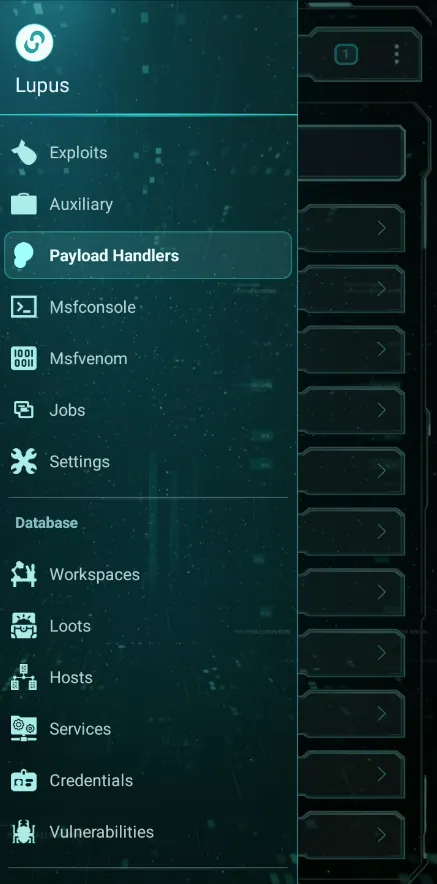
Run the Metasploit Framework — msfconsole and the full module workflow — from a clean mobile UI instead of a cramped terminal.
Recon & vulnerability scanning
Nmap and Nuclei scanning with profiles, plus a workspace database for hosts, services, findings and vulnerabilities.
Runs on modern Android
Self-contained environment that runs on Android 13/14/15 — no root, no manual Termux setup.
Session management
Manage remote sessions with a file explorer, process view and background tasks — on systems you are authorized to test.
No tiny-keyboard pain
The GUI is the point: do in a tap what would take a long command on a phone keyboard.
Your data, your engine
Everything runs on the engine you choose — your phone in local mode, or your own server in remote mode. Built for authorized security testing and learning.
Start hands-on, no cost
Metasploit, msfconsole, basic Nmap profiles and interactive sessions, with 1 workspace and up to 3 open tasks. View your saved results and use the AI agent with 5 credits every month.
Start freeAutomate and manage full engagements
Everything in Free, plus ongoing AI access, visual session controls, integrated Nuclei scans, payload tools, multiple workspaces and data import/export.
Compare Free and ProFrequently asked questions
What is Lupus?
Lupus is a professional penetration-testing workspace for Android. It brings the Metasploit Framework, Nmap, Nuclei and a full arsenal of recon, web, Active Directory, media/IoT and post-exploitation tools — plus an autonomous AI pentest agent — into one app that runs on modern Android without root or manual Termux setup. For authorized security testing.
Do I need to root my phone to use Lupus?
No. Lupus runs on stock, unrooted Android, and the core toolkit — the Metasploit Framework, Nmap, Nuclei and the workspace database — works without root. Root is optional: on a rooted device an "Execute as root" toggle runs the Metasploit engine elevated, which unlocks privileged Nmap scans (SYN, UDP and OS detection) and tools that must bind privileged ports, such as Responder. Lupus never roots your device or runs itself as root; without root those specific capabilities fall back or stay unavailable while everything else works normally.
Do I need a PC? What are local and remote mode?
No PC is required. Lupus runs the same engine — Metasploit, Nmap, Nuclei and the database — in one of two places. In local mode the app bundles and launches that whole stack on the phone itself (a one-time install of about 2 GB). In remote mode you run the same engine on your own Linux box — a VPS, lab or server you control — and the phone becomes a thin console that drives it over an encrypted gRPC link. The remote agent is your own tool-runner, not the target you are testing; targets are set separately inside each module. It is a deployment choice, not a paid feature.
What tools does Lupus include?
The Metasploit Framework (exploits, auxiliary, msfvenom payloads, handlers, post-exploitation and Meterpreter sessions), Nmap and Nuclei, plus Impacket, NetExec, Responder and smbclient for Active Directory and SMB; sqlmap, ffuf, feroxbuster, gobuster, httpx and katana for web; subfinder, dnsx and dnsrecon for DNS and OSINT; naabu, Ncat and tshark for networking and capture; go-chromecast, Cameradar, python-onvif, upnpc, RouterSploit and PRET for media and IoT devices (Chromecasts, smart TVs, IP cameras, UPnP and routers); and searchsploit/Exploit-DB — all orchestrated by the autonomous Lupus AI Agent. See the full arsenal on the Tools page.
Is there really an AI agent?
Yes. The Lupus AI Agent drives reconnaissance, scanning, exploitation and post-exploitation, orchestrating tools and writing findings into the workspace database. Start with included GLM 5.3 without configuring an API key, in local or remote mode, and choose other compatible models. The shared service may have waits or interruptions; for real assessments and sustained work, use your own provider key. Free includes 5 monthly AI credits, each opening a shared window of up to one hour across both modes. Pro has no Lupus usage quota. This allowance is separate from the 7-day Pro trial.
Is Lupus free? How much does Pro cost?
The core toolkit is free forever: Metasploit, msfconsole, basic Nmap profiles, interactive sessions and viewing saved results, with 1 workspace and up to 3 open tasks. Pro adds ongoing AI agent access, advanced visual session controls, integrated Nuclei scanning, payload tools, multiple workspaces, data import/export and custom module sync. It costs $19/month or $149/year, with the same features and a 7-day trial for eligible accounts. Teams cost $19 per member per month, in groups of 3, 5 or 10 seats. AI works with included GLM 5.3 or your own provider; shared-service capacity and BYOK charges apply.
Is it legal to use Lupus?
Lupus is built for lawful, authorized security testing and learning — assessing systems you own or have explicit written permission to test. Using it against systems you are not authorized to test is illegal; it is intended for professionals, students and researchers working within scope.
How is Lupus different from installing Metasploit in Termux?
Lupus gives you a self-contained environment with no manual Termux setup or dependency wrangling, plus a graphical mobile UI over msfconsole, Nmap and Nuclei — so you tap through the workflow instead of typing long commands on a phone keyboard. It also curates a full arsenal and an autonomous AI agent on top. Raw msfconsole is still there when you want it.
Get Lupus on your device
Available on Google Play and as a direct signed APK download. Lawful and authorized use only.